Academy Network of AI Leads in the Mathematical Sciences · Birmingham, 27–28 April 2026

Wolfbook

AI-Friendly Wolfram Language Notebook


Nikolay Gromov
Professor of Theoretical Physics · Mathematics Department · King's College London

Wolfram Language & Wolfbook

🔢Wolfram Language
Symbolic & analytic computation — first class
Powerful numerical methods
Rich built-in visualisation libraries
Comprehensive documentation & vast built-in knowledge
Maths · code · graphics · text — all in one environment
⚠ Key limitations of the classic Mathematica frontend
✗Binary .nb files — AI cannot read them; no git diff or merging
✗Weak AI integration — chat-only, no agentic workflows
✗Primitive LaTeX support
✗Closed ecosystem — difficult to collaborate and version-control
✓Wolfbook — the solution
An open-source Wolfram Language frontend running inside VS Code, Cursor or Google Antigravity — platforms with the richest AI ecosystem of any IDE.
Text-based .wb notebooks — full git diff & merge
Agentic AI with live kernel access — GitHub Copilot, Claude, Gemini…
Multi-language workspace: WL, Python, LaTeX, C++ — one window
Full VS Code power: split view, extensions, debugger, formatter
AI can read, write and run Wolfram Language natively
🎓 Free & Open Source (Apache 2.0)  ·  Wolfram Engine: free education licence

VS Code Superpowers — Out of the Box

Since Wolfbook runs inside VS Code, every editor superpower comes for free — version control, split view, debugger, extensions, and full AI integration.
1
Rich LaTeX Rendering
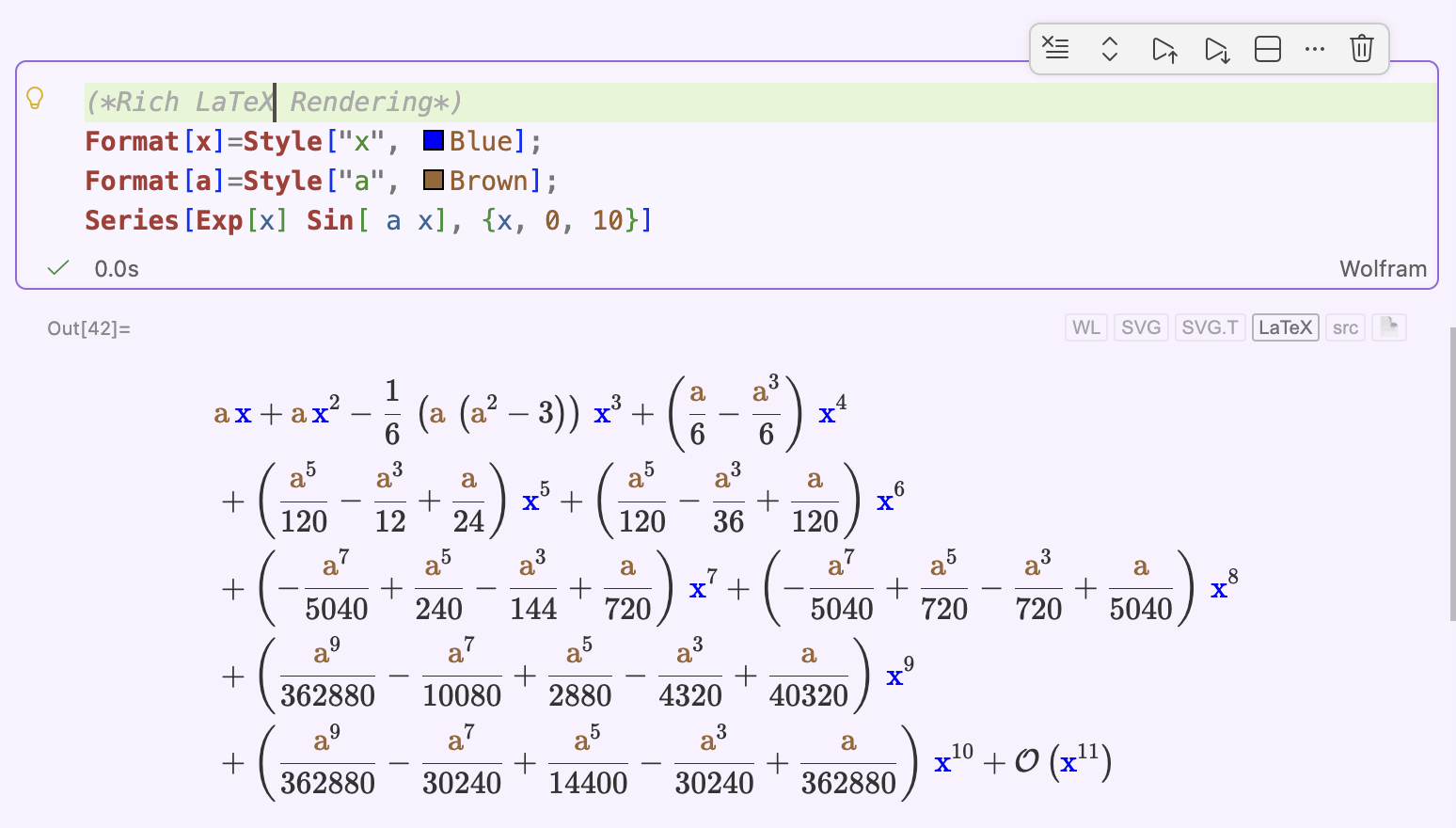
Rich LaTeX formula rendering in Wolfbook — paper-quality typesetting inline
Wolfram outputs render as beautifully typeset LaTeX inline — paper-quality math, straight in the notebook with proper line breaks.
2
Abort Mid-Evaluation
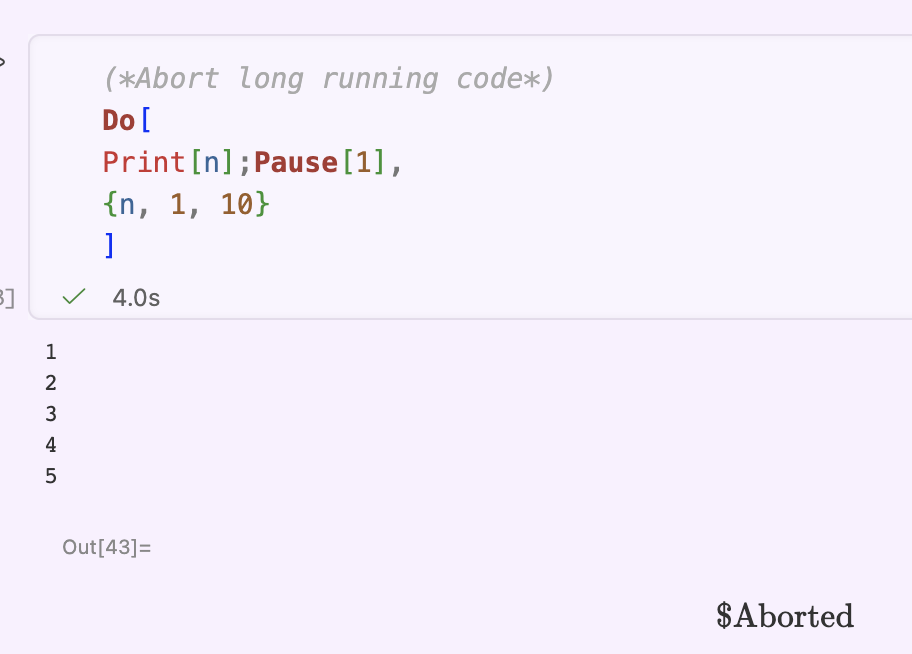
Aborting a long-running Mathematica evaluation mid-way in Wolfbook
Stop a runaway computation instantly.
3
Split View
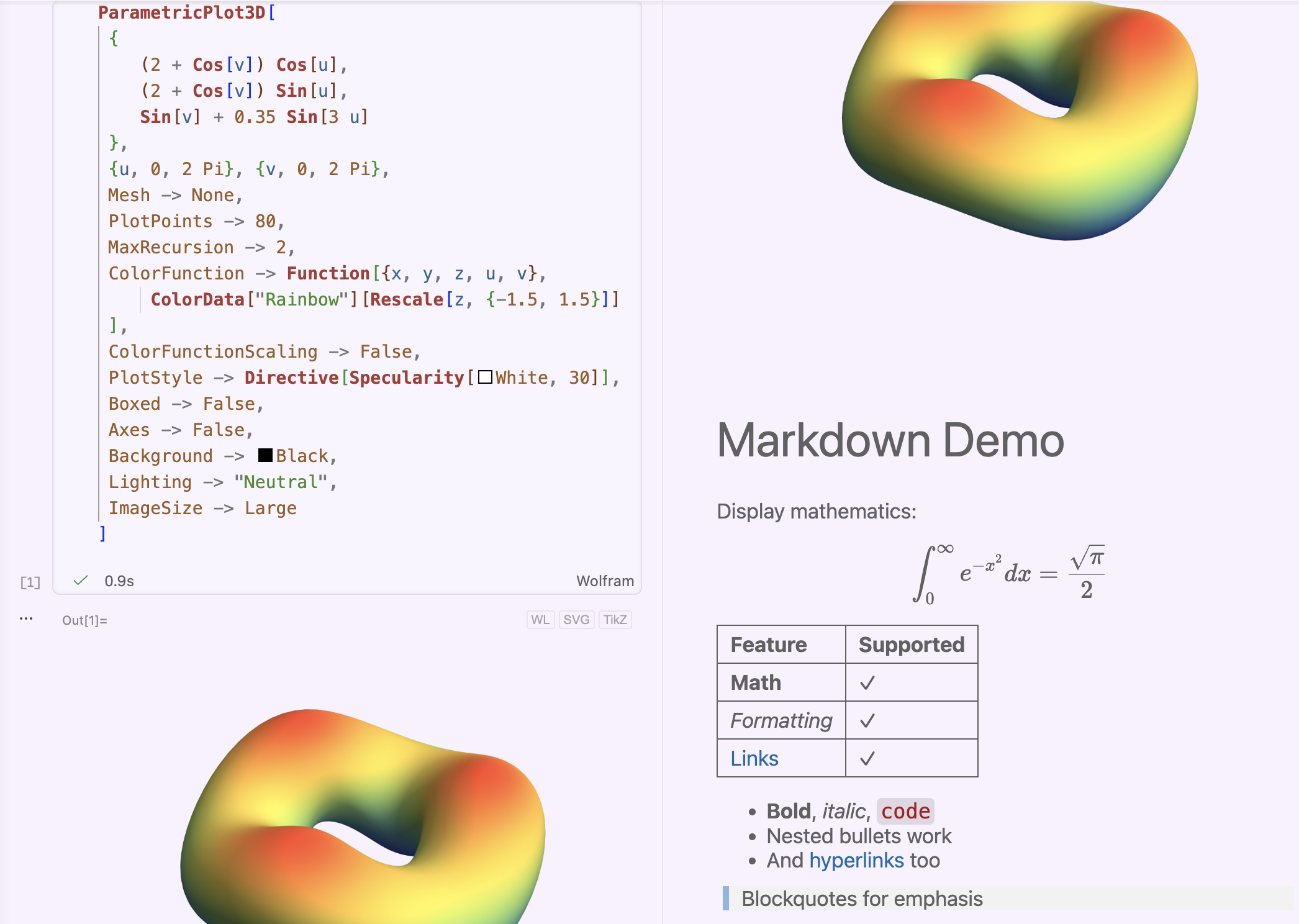
Wolfbook notebook open in VS Code split view — two panes of the same file
View the same notebook from two positions at once — standard in VS Code, impossible in classic Mathematica.

Ghost Text: AI Reads Your Context

Wolfbook exposes Mathematica code cells and text fields in AI-readable form.
GitHub Copilot reads your comment, surrounding cells and outputs — then predicts the next code block instantly. No copy-paste, no context switching.
💬 Comment → ghost text suggestion
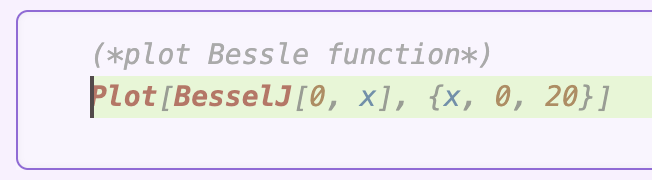
GitHub Copilot ghost text suggestion triggered by a Mathematica comment
✓ Predictive input based on comment context — accepted with Tab
▶ Result: code runs correctly
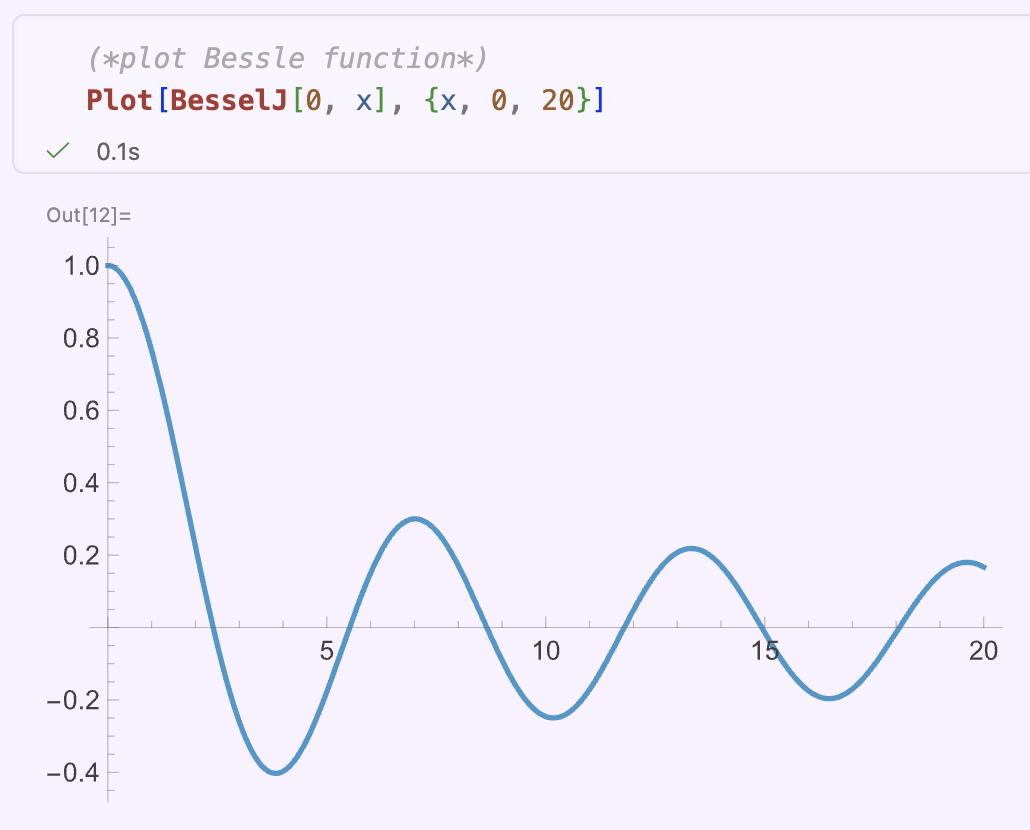
Wolfbook notebook showing ghost-text-generated code running successfully

Agentic AI — Live Kernel + Full Notebook Access

The most transformative feature: AI agents can read, execute code, and reason over your entire Wolfbook notebook — cells, outputs, and text — using the live Wolfram Language kernel.
Your mathematical work becomes interactive AI collaboration.
🔵 User defines a task in a notebook cell
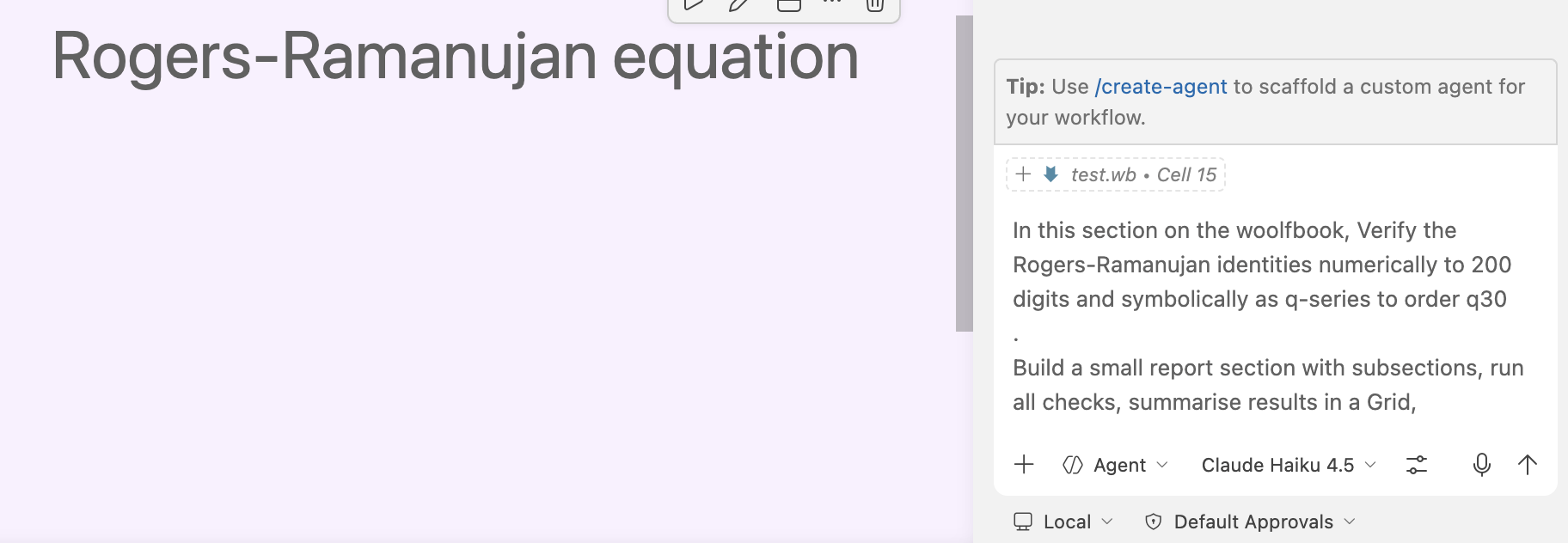
User's initial prompt to Claude Haiku 4.5 written in a Wolfbook notebook cell
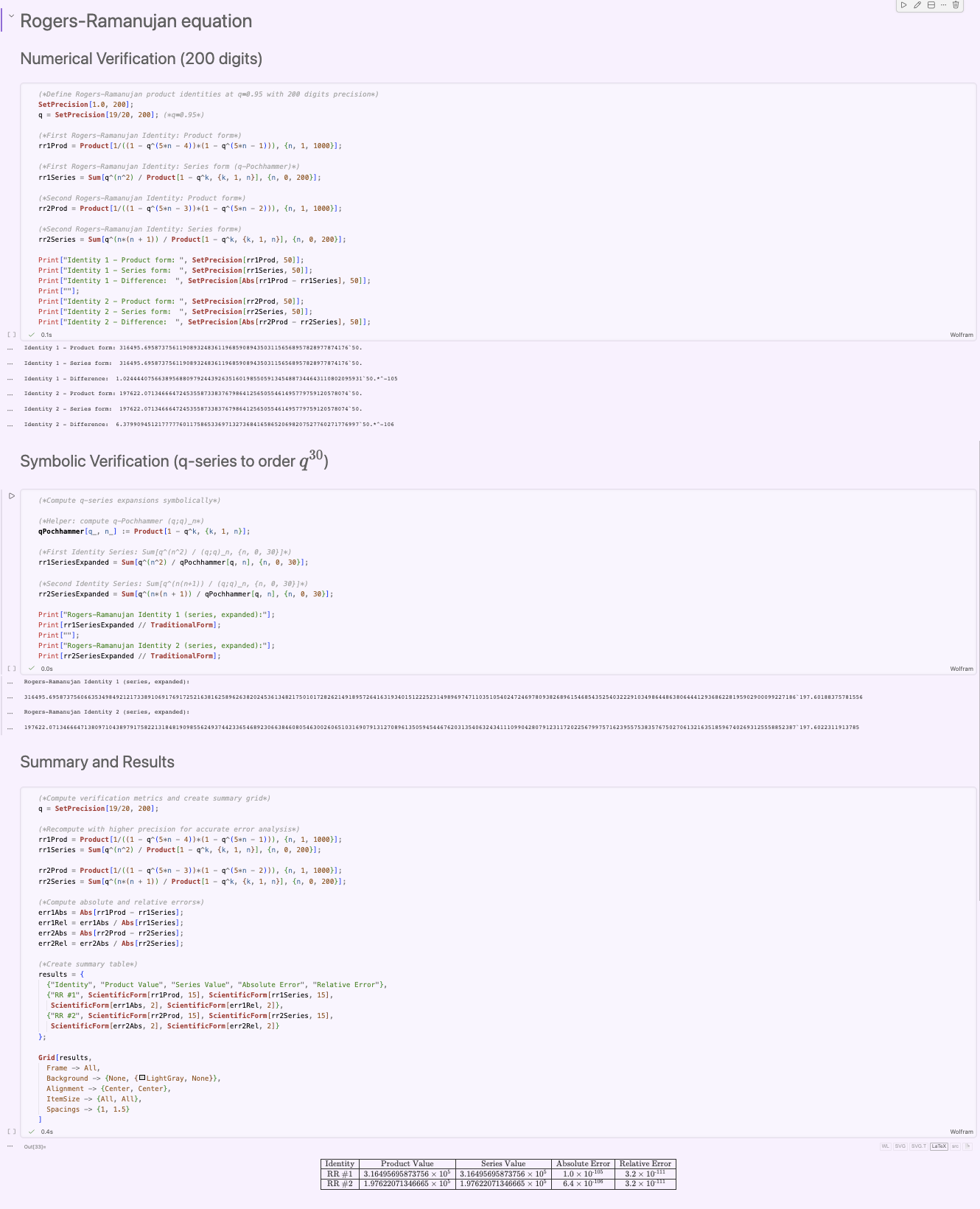
🤖Agent reads the notebook, writes & executes Wolfram code, verifies results, and delivers a structured summary — autonomously.
🟢 Claude Haiku 4.5 — Full Agent Output
Logos of GitHub Codex and Claude Code
Also works with all leading agents — or any model via Cline, supporting 50+ AI providers via OpenRouter — even DeepSeek 🚀

Wolfbook in the Wild — Emerging Workflows

🚀 Just 1 month old · 800+ downloads on Open VSX, VS Code Marketplace & GitHub · workflows are already emerging
1
Verify, Check & LaTeX-ify
▶Ask agent to check your calculations & boundary cases on the live kernel
▶Agent restarts kernel, verifies all cells run cleanly (or fixes mistakes), writes a verified summary section
▶Generate LaTeX notes from the notebook → push to Overleaf via GitHub, merging with your collaborators
2
Prototype → C++ Paclet
▶Prototype sloppy code in Mathematica — correctness matters, not style
▶Agent rewrites it as a high-performance C++ Mathematica paclet
▶Tests against prototype + intensive additional tests; generates documentation
3
Literature Review → Reproduce
▶Ask for a literature survey — Wolfbook exposes paper-search tools natively
▶Agent finds key results + BibTeX entries with a per-paper summary
▶Next prompt: write a notebook section reproducing all key results

Wolfbook Workflows — Research at Scale

4
LaTeX Equation Checker
▶Ask agent to go through your draft paper
▶It verifies every equation by running it through the Wolfram kernel
▶Annotates the LaTeX source with comments wherever errors are found
5
PhD-Level Project — (Advanced)
▶Start with a well-posed problem (PhD-grade, 1–2 weeks of work)
▶Prepare a detailed .md plan: step-by-step computation with test criteria per stage — just like briefing a PhD student (using Claud Opus in chat mode for example or planing mode of copilot)
▶Add the .md to your workspace, direct the agent to it
▶Agent follows the plan, verifying & testing each stage before proceeding
▶🍽️ Go for lunch — return to a fully solved, tested & documented result (if all goes as planned)

Case Studies — Research Notebooks from a Single Prompt

Each notebook was generated by Copilot agent mode from one initial prompt + a few steers. No manual code writing.

Spin Chain Spectrum

Heisenberg XXX Model
A chain of spins- with nearest-neighbour exchange , exactly solvable by the Bethe Ansatz. A twisted boundary condition interpolates between periodic and antiperiodic BC — a clean probe of integrability.
💬 PROMPT
“Use Wolfbook tools to implement the Heisenberg spin-chain Hamiltonian with quasi-periodic boundary conditions and plot its spectrum for L = 2, 3, 4 as a function of the twist. Then introduce a small non-integrable deformation and make the same plot and compare it with the integrable case.”
What was built:
siteOp[op,k,L] (KroneckerProduct embedding) + Hham[L_,phi_] builds the full matrix. Spectra for swept over (80 steps). Then NNN deformation (): integrable shows smooth level crossings; non-integrable shows avoided crossings.
Wolfbook tools:
  • wolfbook_insertCells / runCell
  • wolfbook_editCell
  • wolfbook_lookupSymbol — verified KroneckerProduct
Artifacts: spinchain.wb (12 cells) · spinchain_report.tex

psu(2|2) Superalgebra

Beisert Central Extension (AdS/CFT)
The symmetry algebra of the SYM spin chain (Beisert 2006). Has 14 generators: , (bosonic) + , (fermionic). Pure does not close — Jacobi identities force three central charges .
💬 PROMPT
“Explore the psu(2|2) superalgebra and its central extension using Mathematica. Load NCAlgebra and set up the generators: bosonic su(2)×su(2) and fermionic supercharges. Verify Jacobi identities for a representative selection of triples. Introduce the three central elements C, P, Q and show the algebra closes only with the central terms.”
What was built:
NCAlgebra loaded; grading set; super-bracket implemented as GB0[A,B]. Systematic Jacobi check for all generator triples — 7 identities fail without central terms. Adding to anticommutator: all close.
Wolfbook tools:
  • wolfbook_evaluateExpression — kernel scratchpad ×14+ calls to prototype each bracket rule before committing to a cell
  • wolfbook_insertCells / editCell
Artifacts: psu22.wb (multi-section) · psu22_report.tex

Compton Scattering in Scalar QED

Automated Feynman Diagrams with FeynArts
Scalar QED: . Compton scattering has 3 tree-level (seagull, s-, u-channel) and 53 one-loop diagrams. Agent installed FeynArts 3.12 and wrote the model file autonomously.
💬 PROMPT
“Find an online description of FeynArts and produce pictures for 1-loop Compton scattering in Scalar QED in this notebook. Use Wolfbook tools to test your expressions.”
What was built:
Custom ScalarQED.mod model file (SSV 3-point + SSVV seagull vertices). CreateTopologies + InsertFields for scattering. Full 53-diagram 1-loop sheet exported as PNG/PDF; diagrams further split into topology classes (self-energy, vertex, box) with DiagramExtract.
Wolfbook tools:
  • wolfbook_evaluateExpression — probed kernel; debugged model
  • wolfbook_getKernelState / restartKernel
  • wolfbook_insertCells / editCell
Artifacts: Fyanman.wb · ComptonScalarQED_notes.tex

Conclusions & Future Directions

📌 Key Takeaways
✓Text-based .wb notebooks: fully AI-readable, git-diffable, mergeable
✓Wolfram Language mathematical power + VS Code AI ecosystem — in one tool
✓Agentic AI reads, executes & verifies Wolfram code autonomously
✓Works with GitHub Copilot, Claude, Gemini, DeepSeek — your choice
🎓 Free & Open Source (Apache 2.0) · Wolfram Engine: free education licence
🌊
Vibe Problem Solving
The emerging paradigm where AI agents handle the computational heavy lifting while the researcher stays at the level of high-level problem formulation.

Like “vibe coding” — but for mathematical research.
Wolfbook is the natural home
for this new way of doing mathematics.

Get Started — Everything is Free

1
Wolfram Engine (skip if you have Mathematica)
Free for non-commercial use. Activate with a free Wolfram ID.
wolfram.com/engine
2
VS Code
Free, all platforms (Windows · macOS · Linux).
code.visualstudio.com
3
Wolfbook extension
Search Wolfbook in the VS Code Extensions sidebar, or use a link on the right. Create test.wb — kernel auto-starts on first Shift+Enter.
Optional: Install the GitHub Copilot extension for full agent-mode AI — free with GitHub Education.